








•  

Texting in Churches

Powerful speakers, and leaders are those who listen to their audience. Realtime feedback helps fuel those lines of communication in simple and creative ways. The pervasiveness of mobile devices and innovative mobile applications, like Poll Everywhere, have brought real-time audience interaction to all classrooms, churches, and presentations.

Many churches have used Poll Everywhere to great success, one of them is New Hope in Honolulu, where Pastor Wayne Cordeiro engages the entire congregation with Poll Everywhere, and injects humor and levity to a Sunday service and the text message voting received a great response. See below

Poll Everywhere is a great cell phone technology that connects pastor and congregation in real time; it replaces the expensive proprietary audience response hardware with inexpensive standard cell phone and web technology. It's the easiest way to gather live responses anywhere.

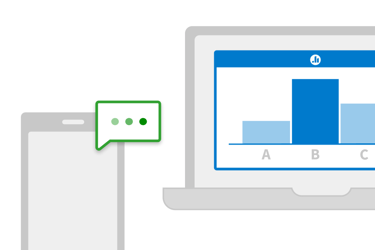
The Pastor moves through their PowerPoint slide and runs into a Poll Slide with a question like, "How frequent are your devotionals?" with a few answers, "1-3 times/week", "4-6 times/week", or "7+/week". The audience takes out their cell phones and texts a unique "keyword", to a special phone number, like 22333, called a "short code". Poll Everywhere receives these messages, tabulates them, and sends all of the updates to the PowerPoint slide displaying the poll. The audience loves the presenter because they feel like part of the show and they get to play around with their cellphones during the service.

Try it. Take out your cellphone and send one of the keywords below to 22333.

Getting started with Poll Everywhere is easy!

1
Go to www.polleverywhere.com.
Click "Create Your First Poll".
Type in a question. Click save.
2
Click on "Download as PowerPoint slide."
In just seconds you'll be looking at a PowerPoint slide that updates in real-time from audience text message responses.

The FAQ and the video tutorials explain all of the magic behind Poll Everywhere.

A few things to keep in mind when integrating text message polling into your service:

  • Know your audience, there's a big difference in presenting to teenagers than there is to the baby-boomers. Patience is essential with both groups, but the style and technique would differ.
  • Less is more. The more elaborate you make the process; the less likely people will use it. So even if you want to pull out all the bells and whistles hold back the urge, it's better to keep it simple in the end.
  • Make sure that the presentation is geared for the audience and not the presenter.
  • Make clear, concise easy to follow directions for the texting portion of the presentation.

Here are a few additional Do's and Don't's on integrating text message voting into your presentations:

DO ...

  • Choose topics and questions that your audience would really respond to and want to have a voice in.
  • Create your polls in advance and test the keywords and shortcode prior to the day of the presentation.
  • Restate the instructions to the audience even though the poll has them written on there.
  • Be patient if anyone has a question.

DO NOT ...

  • Overload on the number of polls.
  • Wait until the day of the presentation to create your polls.
  • Let the Q&A about how to text run too long.
  • Choose an audience that has never texted before.

Most importantly, don't forget to have a good time. Integrating mobile technology into your presentation may be daunting at first, but it's a great, innovative way to reach out to your congregation in a very cool way. It's meant to be fun and useful at the same time, and we believe we've made it as simple as possible. Happy presenting!

Create your first poll It takes less than 30 seconds and you don't have to signup for an account.