Generate a Word Cloud
with Live Audience Feedback
Visualize the popular opinion with a Word Cloud
powered by live feedback.

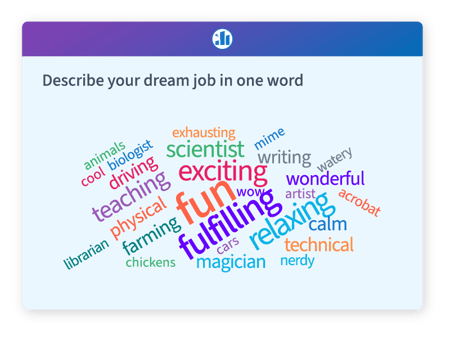
How it's used
Works anywhere you present

NO APP REQUIRED
Audiences respond via browser or sms - nothing to install.

FREE TO START
No credit card, no sign-up needed from your audience.
LMS-READY
Embeds in Canvas, Blackboard, and Moodle via LTI 1.3.
In the classroom
Ask students to contribute one word that describes a historical event, a scientific concept, or their reaction to a reading. The word cloud renders instantly on the projector — no clickers, no downloads, no friction. Pair it with a follow-up multiple choice poll to go from sensing the room to measuring understanding in under two minutes.
Works with: Canvas, Blackboard, Moodle via LTI 1.3. Responses can be captured for attendance and participation records.
In corporate meetings and training
Open a strategy session by asking participants to submit one word that describes the current state of a project. Run it at the start of a training module to surface what attendees already know. Word clouds make it easy to acknowledge the room before diving into content — which tends to improve attention and retention throughout the session.
Works with: Microsoft PowerPoint via the Poll Everywhere add-in, Google Slides, and Keynote. No separate app required for presenters or audiences.
At conferences and events
Large-audience word clouds are a proven icebreaker. Ask thousands of attendees to submit one word that describes what brought them to the event, or what they hope to take away. The resulting visual is both a data point and a moment of shared recognition — something the audience can photograph and remember. Poll Everywhere scales to audiences of any size without additional infrastructure.
Works with: Audience devices via browser or SMS — no app download required.
For facilitation and workshops
Facilitators use word clouds to run exercises like "one word check-ins," retrospectives, and concept mapping. Because responses are visible to everyone simultaneously, they create a shared artifact that the group can discuss, challenge, and build on — which is harder to replicate with a whiteboard or a sticky-note exercise when participants are remote or hybrid.
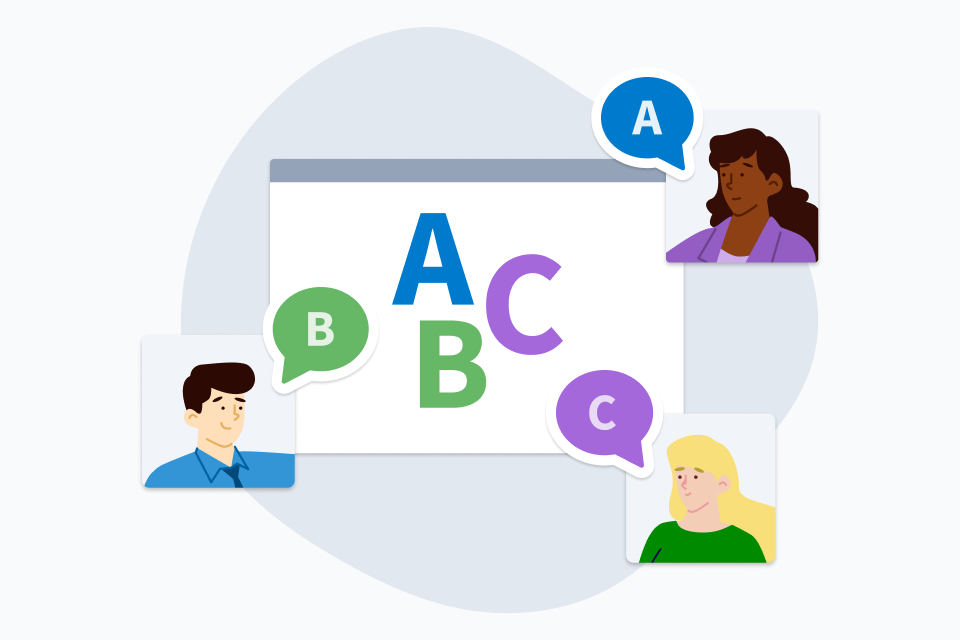
Reimagine Word Clouds as Shared Experiences.
When you create a word cloud using Poll Everywhere, each word comes from the audience. You ask the question, the audience responds, and together you see opinions become artwork. Words move and grow with each new response.
This is an excellent way to reflect on complex topics or discover shared feelings within the crowd. Invite the audience into your presentation and discover what you can create together.
An Instant Word Cloud Generator
With each word in the cloud supplied live by the audience. Get quick and easy feedback from an audience all visualized beautifully with a word cloud.

Create a word cloud activity
Create an empty word cloud activity and embed it into your presentation. The audience will supply the words live.

Watch the results appear live
Present the activity during your presentation. The audiences submits words or phrases on their devices.

Visualize audience feedback
See the audience's eyes light up as their words appear on screen. Popular words grow larger, while others shrink.

“We had a big group, 500 people, and the word cloud let us reflect back to them, in real time, the collective power of commitments they were making.”
Gaby M.
Women's Leadership Summit
FAQ
Is Poll Everywhere's word cloud actually free?
Yes. The word cloud feature is available on Poll Everywhere's free plan. You can create a word cloud, share it with an audience, and display live results at no cost. Free plan accounts have a participant limit per activity; if you're running a large session, a paid plan removes that cap. No credit card is required to start.
Does my audience need to download an app to participate?
No. Audience members respond through any web browser by visiting pollev.com or scanning a QR code. There's nothing to install on their device. This is particularly useful in classroom, conference, and corporate training settings where you can't guarantee what software attendees have installed.
How is Poll Everywhere's word cloud different from a free online word cloud generator?
A standalone word cloud generator creates a static image from text you paste in. Poll Everywhere's word cloud is live and interactive — responses come in from your audience in real time and the visual updates on screen as they type. It's designed for facilitated sessions, not post-hoc data visualization. The output is a live audience moment, not a static image.
Does Poll Everywhere's word cloud integrate with LMS platforms like Canvas?
Poll Everywhere integrates with Canvas, Blackboard, Moodle, and other LMS platforms via LTI 1.3. Word cloud activities can be embedded directly in course pages, and participation data — including which students responded — is captured through the integration. Grade passback and roster sync are available on institutional plans. Poll Everywhere is a recognized Canvas Partner.
Can I use a word cloud in a PowerPoint presentation?
Yes. The Poll Everywhere add-in for Microsoft PowerPoint lets you embed a live word cloud directly into your slide deck. Responses appear on your slide in real time during the presentation — you don't need to switch between applications. The same add-in works for Google Slides and Keynote.
What's the audience size limit for a word cloud activity?
On paid plans, Poll Everywhere supports audiences of thousands of concurrent participants with no additional infrastructure. Free plan accounts include a participant limit per activity (check the current pricing page for the exact number, as limits are subject to change). Enterprise plans include unlimited participants and volume pricing for institutional deployments.