Premium Features

Check out all the goodies you get with our paid plans

Larger audience size

The "audience size" is the number of responses any poll can receive before it's full. Each poll can accept up to 30 responses on the free plan. Keep in mind that even on the Free service, the number of polls you can create is unlimited.

Learn more about audience size

Custom Keywords

This video explains keywords and text message short codes. Short codes are the five digit number you text answers to, and keywords are what go in the body of the text message.

Learn more about custom keywords

Segmentation

Response Segmentation is how you combine data from multiple questions to show something interesting or fun.

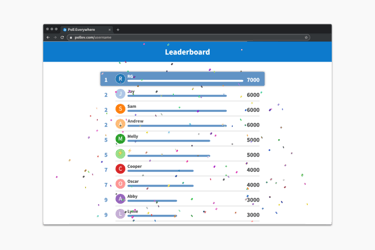
It's also how you group an audience into teams, or score many polls at the same time as a competition. You have to see it to believe it: Audiences go crazy for this, and the cheers are deafening.

It's called "Segmentation" because you divide a set of responses by some other poll that defines your segments. You may have used something similar before if you've ever made "pivots", "crosstabs", "stacked charts", or looked at correlations.

Learn more about response segmentation

Moderation

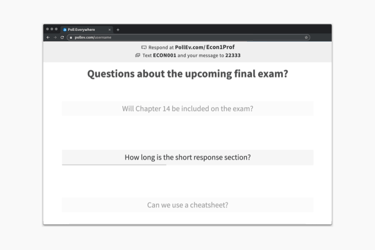
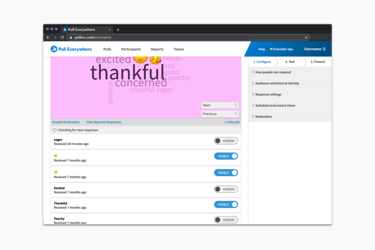
Moderation allows you to control which messages are approved to be shown on a public screen

Learn more about moderation

Multiple account users

An organization pays once for service and can share the upgraded capabilities with many presenters who each receive their own Poll Everywhere user account.

Learn more about multiple account users

Reports

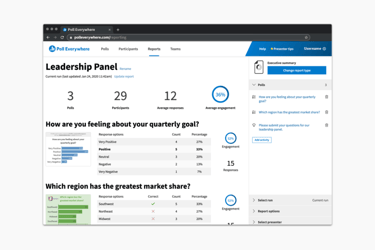
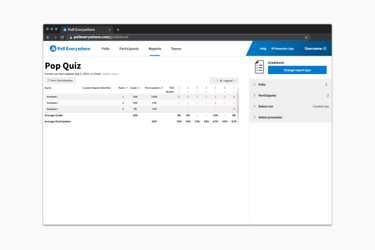
Reports let you correlate people's answers across many polls. They can be used as a quick way to identify who responded. Reports can be downloaded as a spreadsheet for further analysis.

Learn more about reports

Registered Participants

First distribute your invitation link to invite participants (like students, for example) to have them certify their phone number and email address. Then, you can automatically see how they responded for attendance or grading. This feature is also how you can restrict any of your polls to only accept responses from a predefined list of people.

Learn more
Ask participants to register to certify their phone and  email. Then see their name by their responses, or limit who can vote on a poll.

Grading

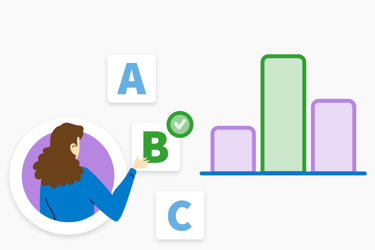
Easily identify answers as being correct or not. When responses are received, they will automatically be graded. Additionally, use the live charts to show the group the correct answer after they have responded. This is great for group discussion around topics that are missed by a majority. With a report card view, you can also get an automatically generated report of the reponses scored by individual.

Learn more
Instantly review material and reveal the correct answers to the group for discussion and follow-up.